Answer: Once you have successfully completed your registration, your email address may be edited for voucher purposes only at any time necessary.
Under the settings icon, select “Personal Information.”
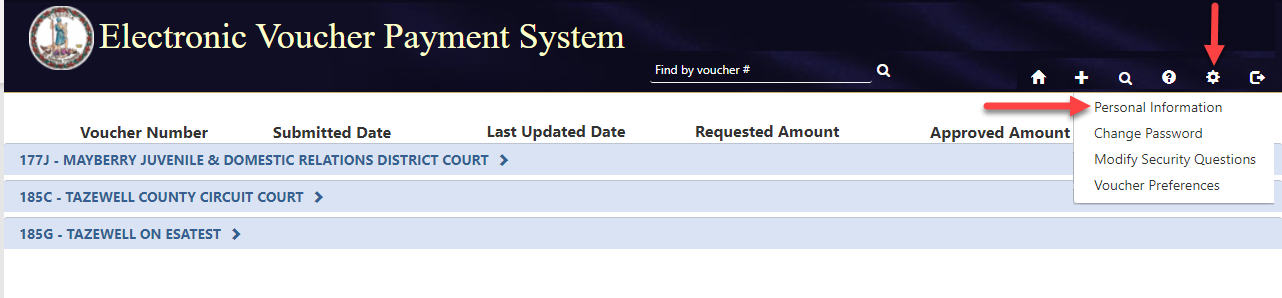
Click, “Update Email,” then “Save.”
Q How do I change my email address?How do I change my email address?
Answer: Once you have successfully completed your registration, your email address may be edited for voucher purposes only at any time necessary.
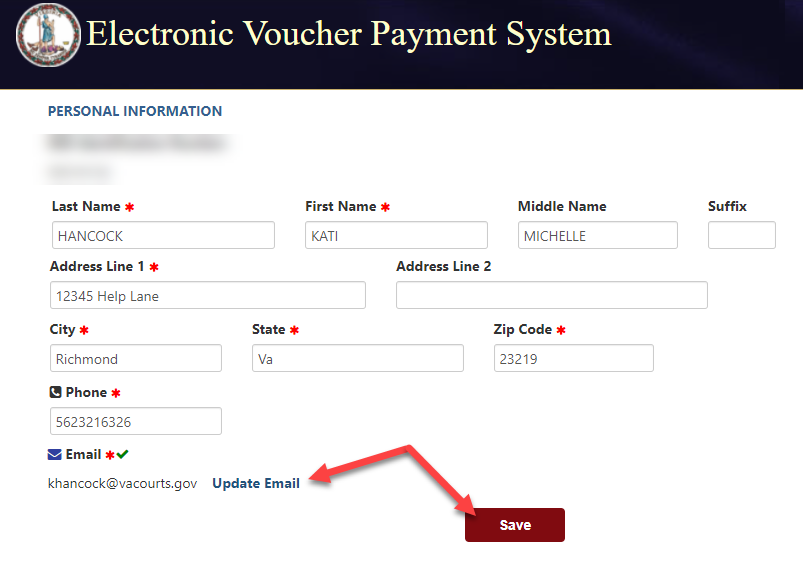
Under the settings icon, select “Personal Information.”
Click, “Update Email,” then “Save.”
Q What do I do if my voucher is rejected?What do I do if my voucher is rejected?
Answer: Once the Clerk has rejected your voucher, you will receive an email. At this time, you will able to correct the error(s) and resubmit.
Q How do I delete a rejected voucher?How do I delete a rejected voucher?
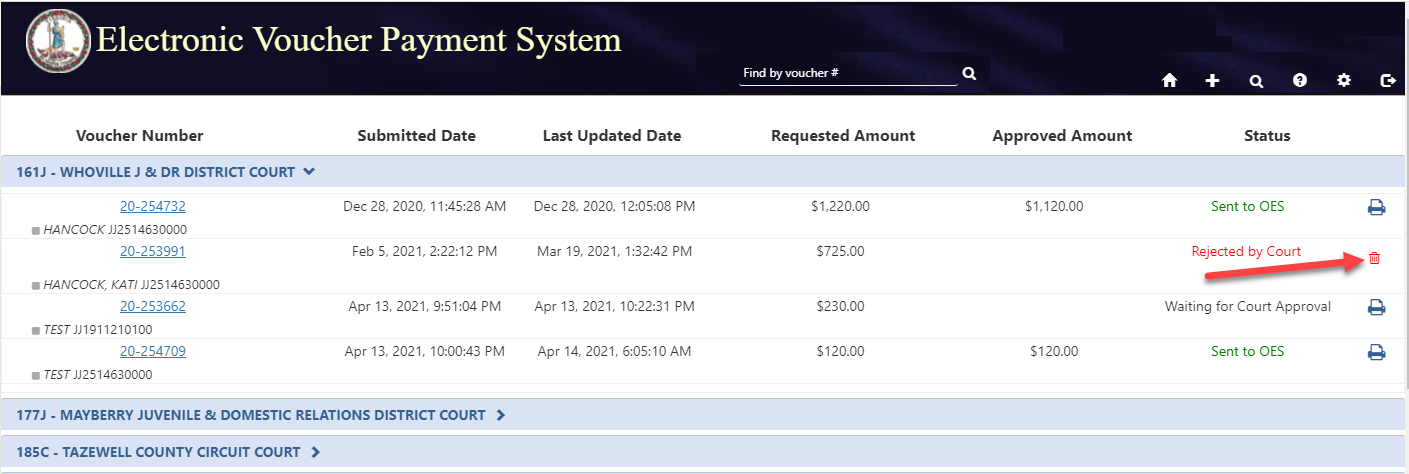
Answer: Vouchers may be deleted from the EVPS home screen by selecting the red trash can icon. Only vouchers with the "Rejected by Court" or "Rejected by Coordinator" statuses can be deleted.
Q How long do the vouchers remain in my queue?How long do the vouchers remain in my queue?
Answer: Vouchers that have the status, “Draft” will remain in your queue until they are either submitted to the Court or deleted. All other vouchers will remain until 30 days after the status has changed to “Processed by OES.”
Q How do I recall a voucher?How do I recall a voucher?
Answer: A recall icon will be displayed if the voucher can be recalled. The voucher can only be recalled if the voucher status is "Sent to Court", "Resubmitted to Court", or "Waiting for Coordinator Approval."
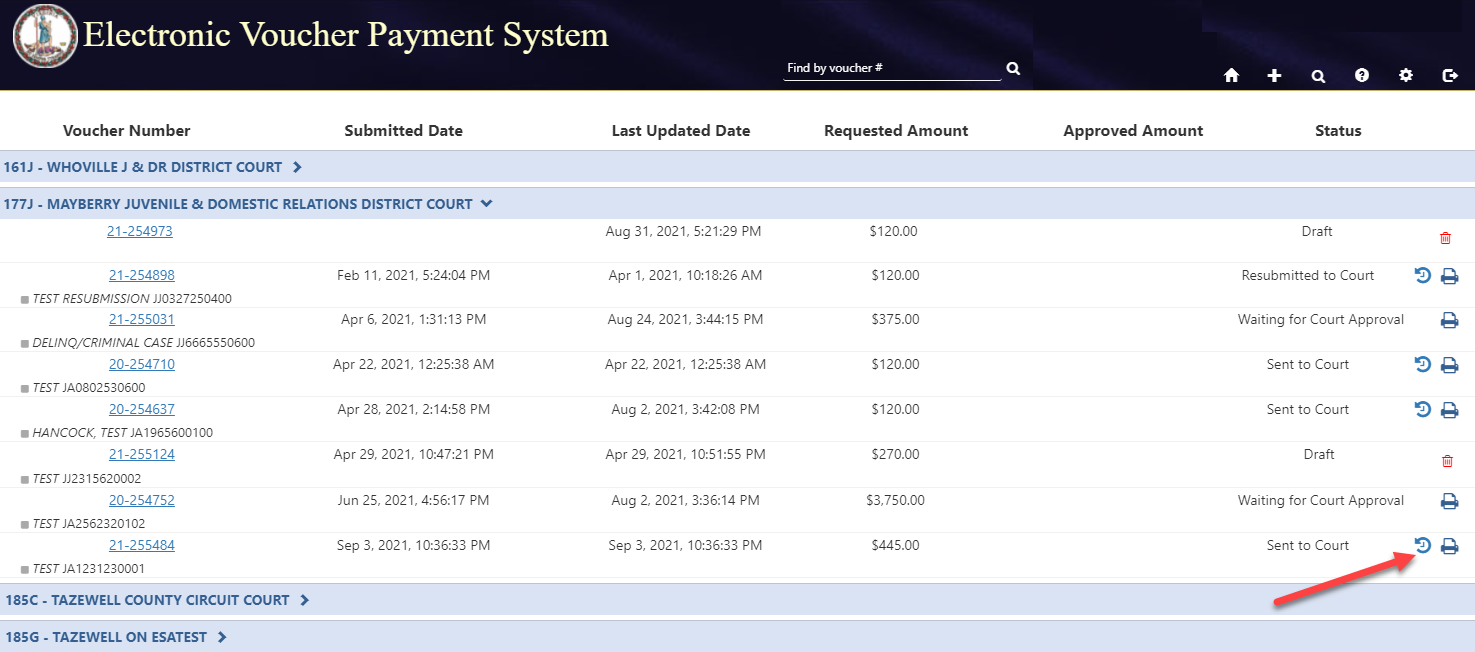
It can also be found on the voucher, to the left of the print icon.

Answer: After submitting the voucher to the Court, you will only be able to edit once the voucher status is “Rejected by Court.” When a voucher is rejected by the Clerk you will receive an email letting you know which voucher was rejected, and at this point you may edit and resubmit.
Q What web browsers are the best to use with EVPS?What web browsers are the best to use with EVPS?
Answer: For the best user experience, please use Google Chrome or Firefox.
Answer: Please allow 10 business days after receiving the notification of “Processed by OES”. After 10 days the vendor can fax the invoice number to Accounts Payable and it will be researched within 24 hours.
Note: A Stop-Payment can be completed on an unreceived check after 30-days from the “date of issue”. The original check is no longer valid and cannot be cashed after a Stop-Payment has been completed.
Answer: A new substitute W9 Form will need to be submitted to OES Accounts Payable Department by fax (804) 786-0199) or mail to the Supreme Court of Virginia 100 North Ninth Street, 3rd Floor, Richmond VA 23219.
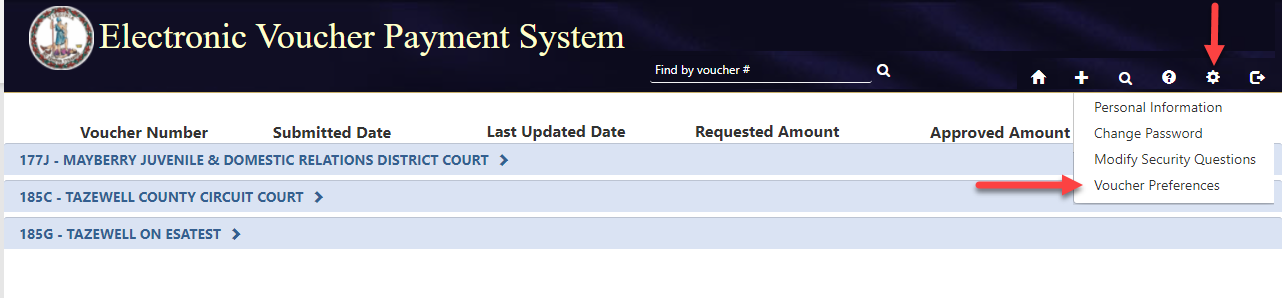
After submitting the Substitute W9 Form, EVPS will need to be updated in the “Voucher Preferences” section
Answer: Call the payment inquiry line (804) 225-3346 and leave your check or wire number on the voicemail and Accounts Payable will research within 24 hours.
Answer: Please refer to Department of Accounts website: https://www.doa.virginia.gov
Answer: Please refer to the Chart of Allowances located at http://www.vacourts.gov/ or call Accounts Payable at (804) 225-3346.
Q If I have a question about my 1099?If I have a question about my 1099?
Answer: Call Accounts Payable at (804) 225-3346.
Note: A new substitute W9 must be submitted to Accounts Payable (by either fax or mail) prior to mailing to a new address. 1099’s cannot be faxed or emailed.
Q For questions, who do I contact?For questions, who do I contact?
Answer: Questions for OES Accounts Payable Department:
100 North Ninth Street, 3rd floor
Richmond, VA 23219
Phone: (804) 225-3346
Fax: (804) 786-0196
Questions for EVPS (i.e., locked out, how to complete automated voucher, voucher submitted but not processed, rejected, etc.). Please email [email protected]
Questions regarding the mediator certification number, please contact the OES Dispute Resolutions Services Department either by email, [email protected] or by phone, (804) 692-0375.